Collect commercial rent by bank. Keep the property context.
Connect a landlord Stripe account, invite tenants to the portal, and track tenant-initiated ACH against an eligible outstanding obligation.
AvailableTenant ACH is available on eligible Portfolio and Professional workspaces and configured Custom plans, after landlord onboarding and ACH approval.

Stripe
Payment infrastructure, connected to the lease
A standalone payment tool knows the transaction. TenantPoint also knows the tenant, property, and obligation it belongs to. Stripe handles the secure payment infrastructure while TenantPoint keeps that operational context together.
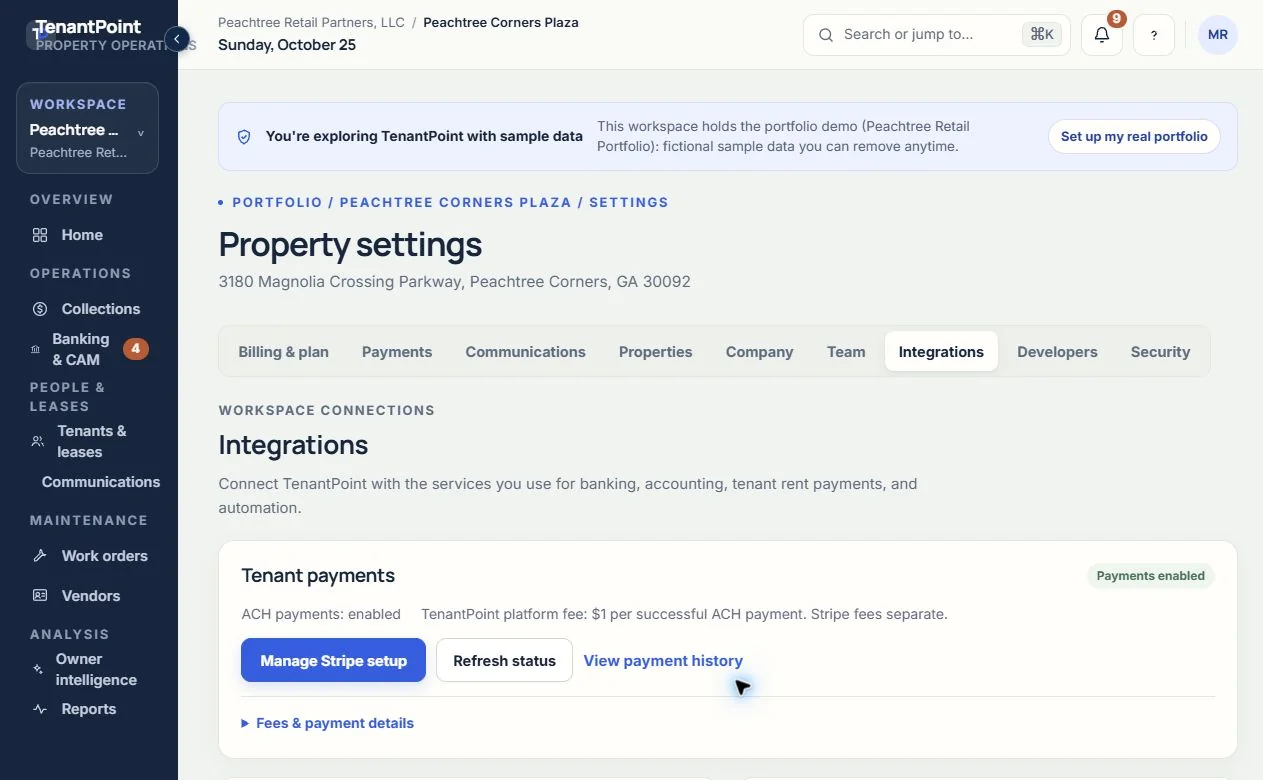
The landlord completes Stripe-hosted setup from Settings → Integrations. Tenant payment history and eligible refund controls live in Settings → Payments.
Landlord payment setup lives in Integrations
Who does what
What each part does
Landlord setup
- TenantPoint
- Shows setup, account readiness, and refresh controls in Integrations.
- Stripe
- Collects onboarding, verification, and receiving-bank information.
Tenant bank payment
- TenantPoint
- Shows an eligible outstanding obligation in the tenant portal.
- Stripe
- Handles bank details and ACH authorization in its hosted payment flow.
Payment tracking
- TenantPoint
- Shows processing, successful, failed, returned, and refunded activity.
- Stripe
- Processes the payment and supplies provider status and fee information.
Review and support
- TenantPoint
- Keeps payment history, notifications, and eligible refund controls with the workspace.
- Stripe
- Applies its connected-account terms, processing fees, and payment requirements.
01
Setup is separate from everyday payment review
An Owner or Admin opens Settings → Integrations and completes Stripe onboarding for the actual landlord business. ACH must be enabled before tenants can initiate payments. Only invite tenants after their contact details, lease, and obligations have been checked.
Use Settings → Payments for history and eligible refund controls. Stripe tenant payments are separate from your TenantPoint subscription billing and from Plaid bank feeds.
02
Understand fees and ACH timing
The landlord pays a $1 TenantPoint platform fee per successful ACH payment, plus applicable Stripe processing fees. Actual provider fees and landlord net amounts appear in payment history when available.
ACH can take several business days, fail, or be returned. Submission and return to TenantPoint are not final settlement. This is tenant-initiated ACH for a specific outstanding obligation—not an autopay or card-payment promise.
Good to know
Questions owners ask about this.
Which plans include tenant ACH?
Portfolio and Professional include tenant ACH; Custom is configured by agreement. Owner and Trial do not include it. The landlord’s Stripe account must also be verified and enabled for ACH.
Does connecting Plaid enable payments?
No. Plaid reads bank activity for reconciliation. Stripe is the separate tenant ACH payment connection.
Is ACH free?
No. The landlord pays $1 to TenantPoint per successful ACH payment, plus applicable Stripe processing fees.