Stripe-hosted setup
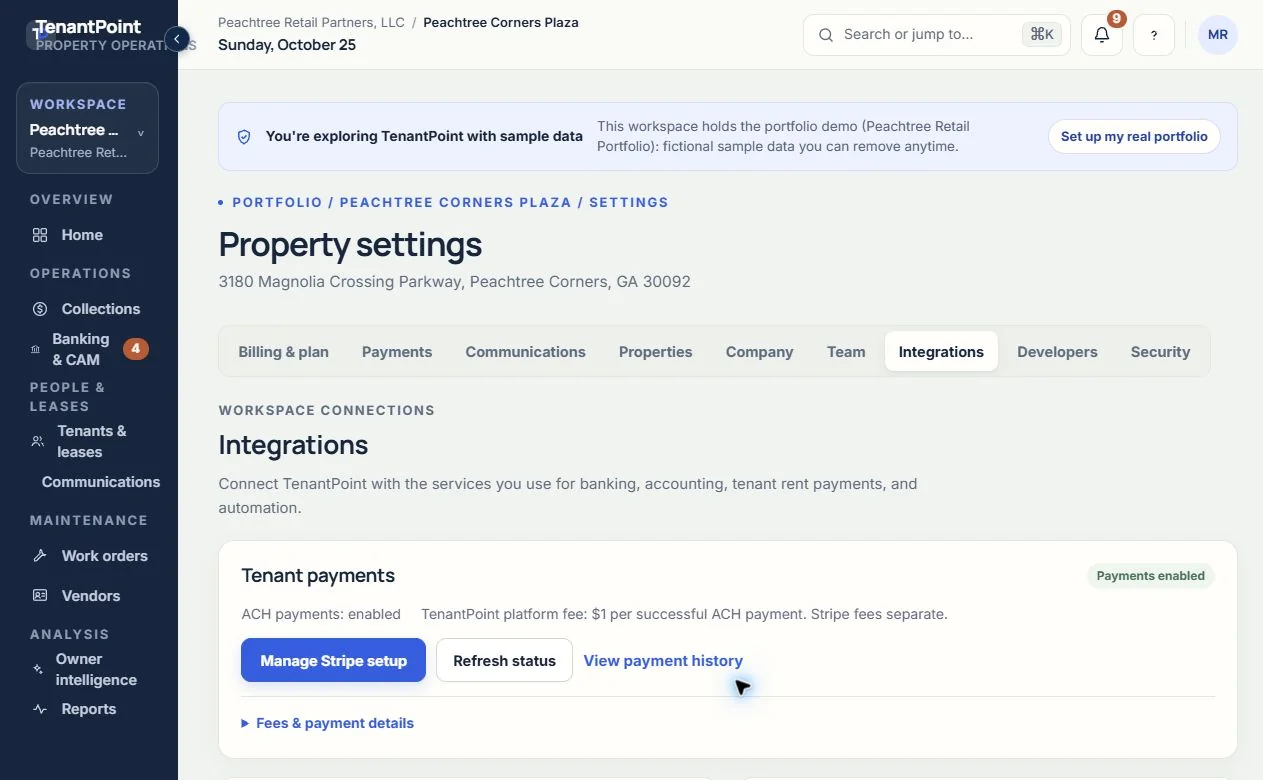
An Owner or Admin completes landlord onboarding from Settings → Integrations. Stripe handles verification and sensitive receiving-bank information.
Accept tenant-initiated bank payments through a Stripe-connected landlord account, then follow the payment against the outstanding obligation in TenantPoint.

Owner briefing · Northline Commerce Center
Your property needs 3 decisions
AI prepares the work · You approve the action
Illustrative product view · fictional demo property
How TenantPoint handles it
An Owner or Admin completes landlord onboarding from Settings → Integrations. Stripe handles verification and sensitive receiving-bank information.
An invited tenant opens Pay rent, reviews the outstanding balance shown, and chooses Pay by bank to complete Stripe’s authorization flow. The current flow pays that balance; it is not an arbitrary-amount transfer.
Follow processing, successful, failed, returned, and refunded payments. Starting a payment is not final settlement.
Review the payment amount, TenantPoint fee, Stripe processing fee, and landlord net amount in payment history when those values are available.
The outcome
Give the tenant a clear way to pay and the landlord a clear record of what happened—not another disconnected payment spreadsheet.
Tenant ACH payments are available to eligible Portfolio and Professional workspaces and configured Custom plans. Owner and Trial do not include tenant ACH payments. An active plan alone is not enough: the landlord’s Stripe account must be connected, verified, and enabled for ACH.
Open Settings → Integrations to set up or manage Stripe and refresh payment readiness. Day-to-day transaction review stays in Settings → Payments. Invite tenants to the portal only after the real lease, contact details, and outstanding obligation have been checked.
The landlord pays TenantPoint a $1 platform fee for each successful ACH payment. Stripe processing fees are separate. The actual processing fee and landlord net amount appear in history when available; TenantPoint does not promise a fixed Stripe fee or a guaranteed net amount.
ACH can take several business days to complete and can fail or be returned. A submitted payment, a bank authorization, or a return to TenantPoint does not mean the money has finally settled. Keep the payment’s current status in view before taking follow-up action.
Stripe processes tenant ACH payments. Plaid brings read-only bank activity into Banking for review and reconciliation. Connecting a bank feed is not the same as enabling tenant payments, and disconnecting one connection is not a substitute for managing the other.
Tenant payments are also separate from the Stripe subscription used to pay for your TenantPoint plan. Use Billing & plan for the software subscription, Integrations for landlord payment setup, and Payments for tenant transaction history.
Good to know
Portfolio and Professional include tenant ACH payments; Custom is configured by agreement. The workspace must be active and the landlord’s connected Stripe account must be enabled for ACH. Owner and Trial do not include this payment feature.
No. The landlord pays a $1 TenantPoint platform fee for each successful ACH payment, plus applicable Stripe processing fees. Review the payment terms and the actual fee data shown in payment history.
No. ACH can remain processing for several business days and can fail or be returned. Use the current payment status rather than treating submission as final settlement.
This flow is tenant-initiated ACH for a specific outstanding obligation. It is not advertised as autopay or card payments.
Open Settings → Integrations for setup, readiness, and refresh controls. Open Settings → Payments for transaction history and eligible refund controls.
Start with your first property