Actual spending
Review property expenses by period and category, keeping owner costs and tenant-specific expenses distinct.
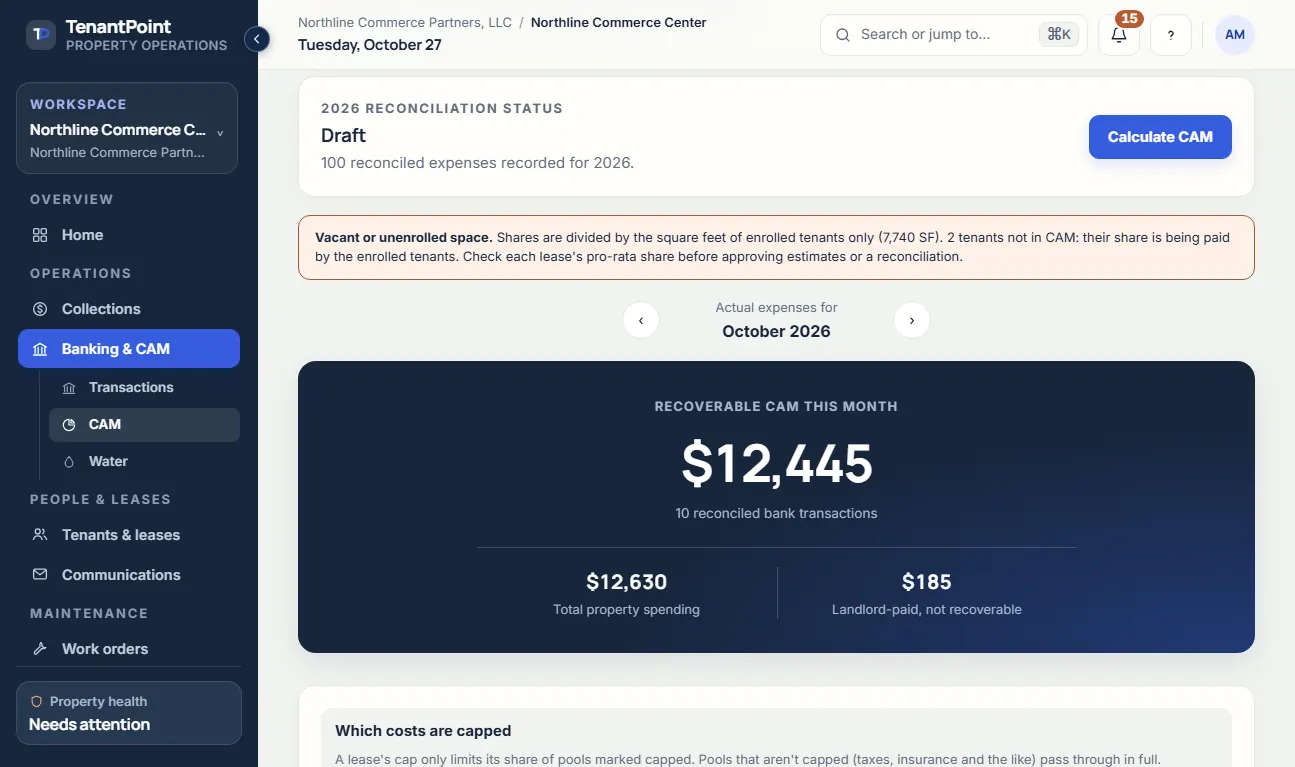
Review recoverable property expenses, confirmed tenant sharing, estimates, and true-ups alongside the lease information that explains them.

CAM · Northline Commerce Center
What is driving next year’s estimate?
Actual CAM YTD $71,440 · $58,960 recoverable
Illustrative product view · fictional demo property
How TenantPoint handles it
Review property expenses by period and category, keeping owner costs and tenant-specific expenses distinct.
Review the recovery method, pool participation, and sharing basis before relying on an allocation.
Compare recorded expenses with estimates and review proposed tenant amounts before approving the next step.
Use the available tenant-facing reconciliation and notice exports after checking the source records and dates.
The outcome
Get from categorized spending to a reviewable CAM explanation without rebuilding the property’s operating history.
A useful CAM reconciliation starts with the property’s actual spending. Review bank activity or imported statements, categorize the expense, and decide whether it belongs in recovery before calculating a tenant amount.
Keep direct tenant costs and owner costs out of a shared pool unless the lease and selected recovery method actually support that treatment. The software organizes the work; it does not decide what your lease permits.
Commercial tenants do not necessarily participate in the same costs or on the same basis. Review pool membership and square-footage, fixed-share, or other supported settings against the signed lease before confirming an allocation.
Verifying a lease does not automatically enroll it in every expense pool. Cap calculations need complete confirmed terms and, where required, prior-year amounts. If the information is incomplete or a provision is unsupported, resolve it rather than treating an uncapped or provisional figure as final.
Review the current estimate, actual recoverable amount, and tenant result before approving a true-up or issuing a notice. Check the year, period, lease terms, and delivery requirements as well as the arithmetic.
CAM workflows have different supported options. Do not assume every gross-up, administrative fee, base-year provision, correction, or bill-back is automated in every method. Use the current setup guide and the options actually shown for the property; get accounting or legal advice where the lease requires interpretation.
Good to know
No. Review the signed lease and confirm the recovery method, participation, expense treatment, and any required cap information. You remain responsible for the result and notice.
No. Supported settings differ by workflow. Review the options in the product and the current documentation; do not assume a calculation applies every gross-up, fee, exception, or bill-back in a lease.
No. Confirm pool participation and the sharing basis separately before relying on an allocation.
Start with your first property