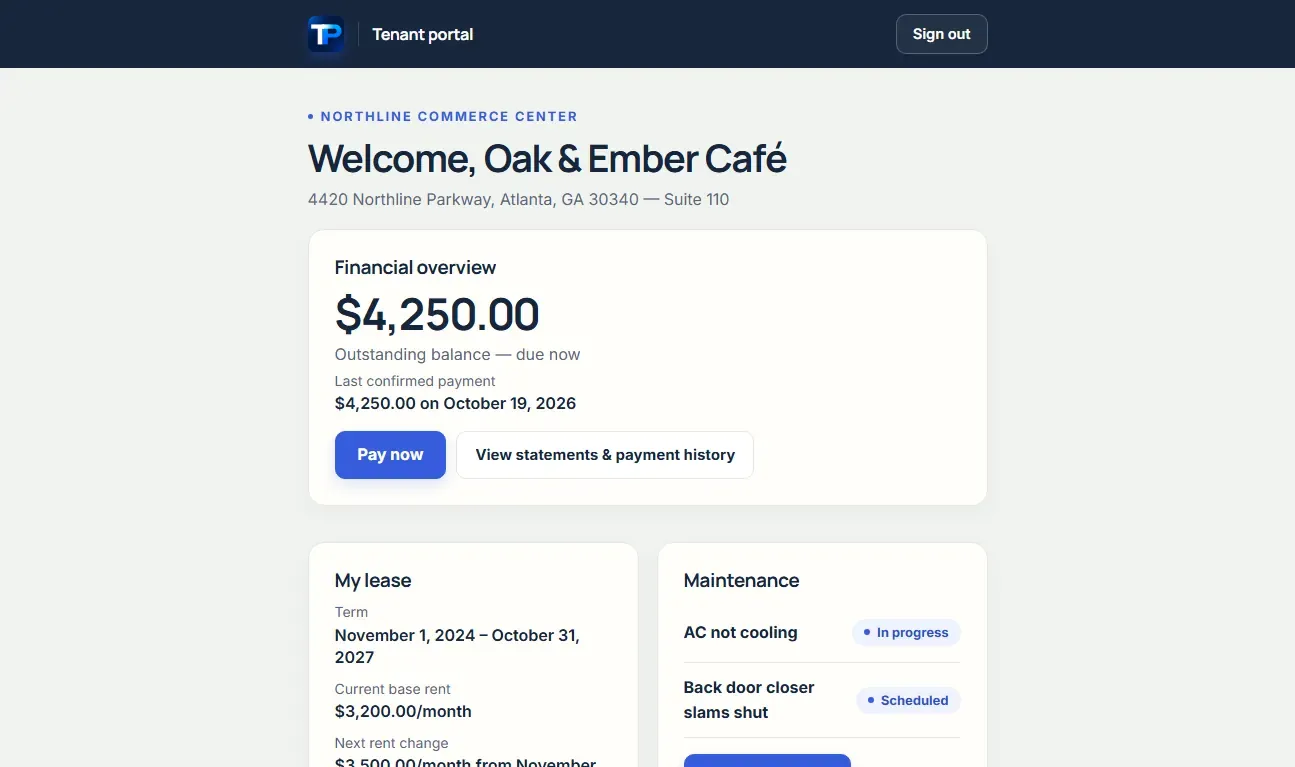
Lease and rent schedule
Show the tenant’s lease information, key dates, and rent schedule without asking them to search an inbox.
Give commercial tenants one place to see lease terms, rent information, documents, statements, maintenance requests, and insurance—and, where enabled, pay an outstanding obligation by ACH.

Illustrative · fictional demo property
Show the tenant’s lease information, key dates, and rent schedule without asking them to search an inbox.
Give tenants access to their permitted documents and statements, with CSV or PDF downloads where offered.
Tenants can submit maintenance requests, follow visible updates, and upload an Insurance certificate.
Where enabled on an eligible plan, tenants can review their outstanding balance, choose Pay by bank, and complete Stripe’s hosted bank-payment flow.
The outcome
Keep the landlord’s operating record and the tenant’s everyday questions connected without exposing another tenant’s records.
Start from the tenant record, confirm the email address, and send a portal invitation. Tenants sign in through a secure emailed link rather than maintaining a separate password. Their access is limited to the records assigned to them.
Check the lease, dates, contacts, and documents before inviting a tenant. The portal makes the underlying record easier to use; it does not replace the owner’s responsibility to keep that record accurate.
Tenants can find lease and rent information, view permitted documents, download statements, and report maintenance through the portal. Requests remain connected to the property’s work-order process rather than a separate text thread.
Where tenant payments are enabled, Pay rent shows eligible outstanding obligations and the payment experience continues through Stripe. ACH is not instant, and a submitted payment can still fail or be returned.
The tenant portal is not the landlord’s administration workspace. It does not expose other tenants’ records, the owner’s complete bank feed, internal work-order notes, or general integration settings.
Tenant ACH requires an eligible Portfolio or Professional workspace, or a configured Custom plan, and an ACH-enabled landlord Stripe account. Connecting Plaid banking does not activate the tenant payment flow.
No separate app or password is required. Tenants use a secure sign-in link sent to their email address.
Portal access is scoped to the tenant’s assigned records. The portal is not a view of the landlord’s full workspace.
Yes, where tenant ACH is enabled for an eligible plan and the landlord’s connected Stripe account is ready. The tenant initiates a bank payment for an eligible outstanding obligation; this is not an autopay promise.
Contact the landlord so the underlying tenant or lease record can be reviewed. Do not authorize a payment against an obligation you do not recognize.