TenantPoint vs. STRATAFOLIO for a small commercial portfolio
STRATAFOLIO is the closest thing to TenantPoint in the market: commercial-only, QuickBooks-centric, published pricing. Here's where the two genuinely differ.
- 21-day free trial
- No credit card
- No sales call
Start with what STRATAFOLIO and TenantPoint are built for.
STRATAFOLIO is commercial property software built on top of QuickBooks—literally. Its site states that "Intuit QuickBooks Online, QuickBooks Desktop, or Intuit Enterprise Suite is required" and its pricing page publishes three tiers: Essential at $160/month, Professional at $190/month, and Enterprise at $230/month, each billed annually, covering the first 5 units with $2, $4, or $6 per additional unit respectively, plus a one-time onboarding fee.
It's a serious, credible product for exactly the owner TenantPoint serves, and it deserves an honest comparison. The two big differences are price structure and where each product sits relative to QuickBooks: STRATAFOLIO is a two-way QuickBooks companion that won't run without it; TenantPoint is a standalone property record that can push finished activity one way into QuickBooks Online when you want it to.
Where TenantPoint and STRATAFOLIO actually differ.
| Feature | TenantPoint | STRATAFOLIO |
|---|---|---|
| Published pricing | $99 / $249 / $499 per month (or $82.50 / $207.50 / $415.83 billed annually); Custom pricing for larger needs | $160 / $190 / $230 per month billed annually for the first 5 units, then $2 / $4 / $6 per additional unit; one-time onboarding fee |
| Pricing unit | Flat monthly plans by portfolio size (3 / 10 / 30 properties with 30 / 150 / 500 tenant spaces) | Per unit above the first 5 |
| Example: 6 properties, 40 tenant spaces, with CAM | Portfolio plan, $207.50–$249/mo | Professional (CAM tier): $190 + 35 × $4 = $330/mo billed annually, plus onboarding |
| Requires QuickBooks | No—works standalone; optional one-way push to QuickBooks Online (included with Portfolio and Professional) | Yes—QuickBooks Online or Desktop is required |
| QuickBooks sync direction | One way, TenantPoint → QuickBooks, deliberately (no silent overwrites of your books) | Two-way sync with QuickBooks Online and Desktop |
| Start using it | 21-day free trial, no credit card, no sales call | Demo-led with white-glove onboarding; no self-serve free trial advertised |
| AI lease extraction | Included on every plan, every field human-approved before use | Not described; leases are entered during onboarding ("they onboarded all my leases for me") |
| CAM reconciliation | Pro-rata by area, caps, pools, tenant-facing statement—every plan | Pro-rata by area, percentage or dollar caps, controllable vs. non-controllable, estimates vs. actuals, itemized statements—Professional and Enterprise plans only |
| Certificate of insurance (COI) tracking | Request certificates by secure upload link (tenants can also upload in the tenant portal), review them against the lease, with expiry reminders—every plan | AI-powered COI tracking and alerts on every plan |
| Online rent payments (ACH) | Stripe ACH on Portfolio / Professional or configured Custom; landlord setup required. $1 landlord platform fee per successful payment; Stripe fees separate. | Online payments listed; confirm current processing fees directly. |
| Investor / partner reporting | Not available | Investor tracking (Professional+), investor portal and distributions (Enterprise) |
| Work orders and tenant portal | Included on every plan | Included on every plan |
| User seats | 2 / 5 / 15 by plan | Unlimited users on every plan |
Neither of these is the right answer for every owner.
Who TenantPoint is for
TenantPoint is probably right for you if…
- You don't run QuickBooks, or you don't want your property software to depend on it.
- You'd rather pay a flat plan than per unit—the difference is large once a property has more than a handful of suites.
- You want to start today with a free trial and have leases read for you, with approval, instead of a paid onboarding.
Where STRATAFOLIO is stronger
To be fair to STRATAFOLIO…
- If QuickBooks is the center of your operation, STRATAFOLIO's two-way sync (Online and Desktop) is deeper than TenantPoint's one-way push, which is included with Portfolio and Professional plans.
- STRATAFOLIO lists unlimited users and investor capabilities. TenantPoint has plan-based user limits, eligible Stripe ACH payments, and no investor-distribution reporting.
- For a portfolio with very few units per property (say 6 single-tenant buildings), STRATAFOLIO's per-unit pricing can come out close to TenantPoint's; run the numbers for your unit count.
- STRATAFOLIO's content on COI, NNN, and CAM is genuinely useful, and its CAM feature description is specific and credible.
Plan prices, additional-unit rates, CAM tiers, and listed capabilities rechecked at https://stratafolio.com/pricing/ on October 25, 2026. Confirm onboarding, payment fees, QuickBooks requirements and current agreement directly before purchasing.
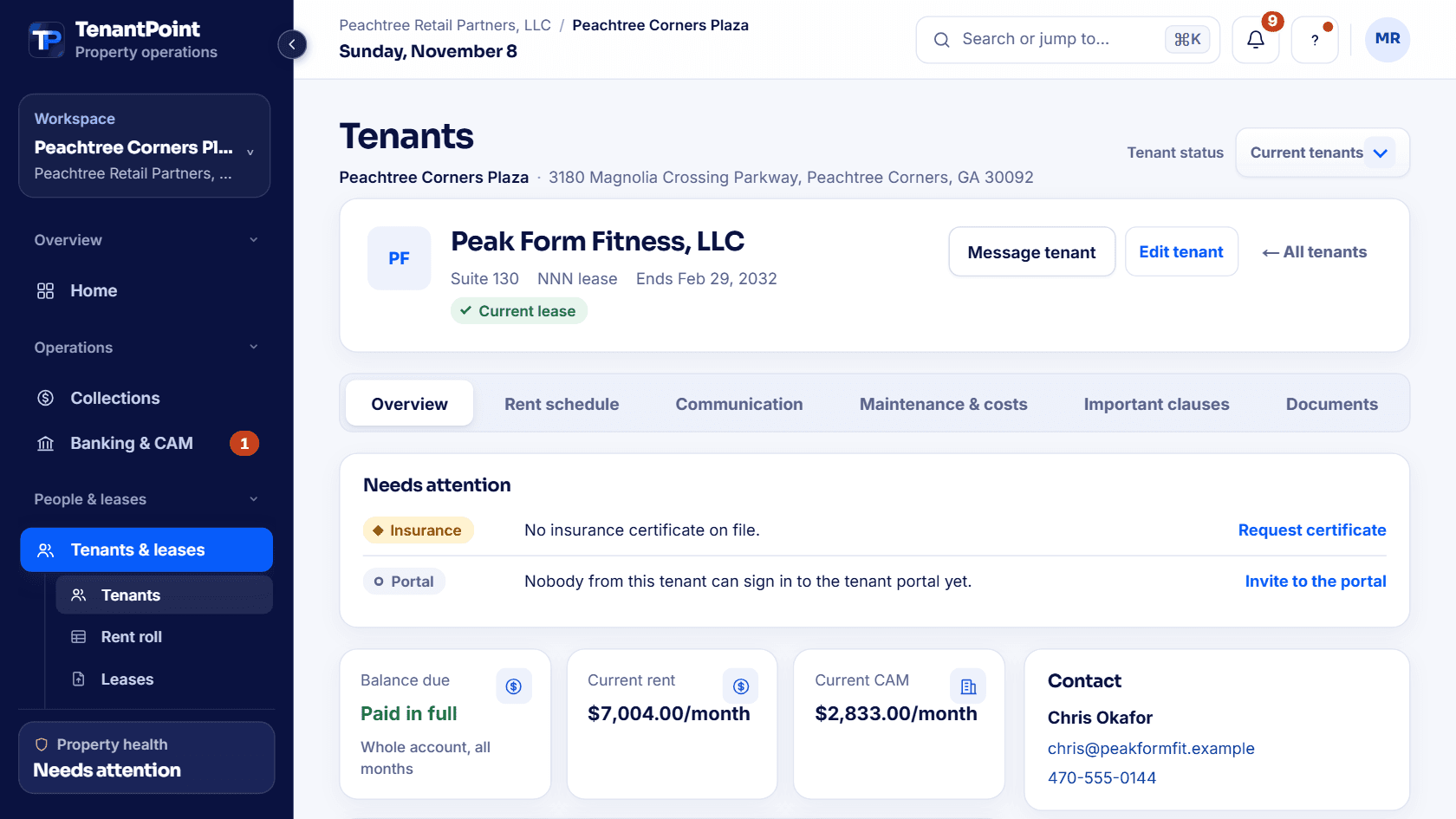
Try an interactive sample, right here.
No sales call. This is an interactive sample of TenantPoint, running on fictional data.
Good morning, Morgan
3180 Magnolia Crossing Parkway, Peachtree Corners, GA 30092
November rent
$24,974 received of $29,855 scheduled
3 of 5 tenants settled2 still need payment confirmation
Open balance, all months
$11,162.80
- Blue Heron Nail Studio$1,400.80
- Fresh Fold Laundry Co.$9,762.00
5 decisions to make
Only exceptions and unfinished work appear here.
Start hereConfirm Blue Heron Nail Studio rent
$1,401 remains unconfirmed through November.Upload one lease and see the result yourself.
Comparison tables only go so far. The product tour runs on a sample property, so you can click through leases, rent, CAM, and maintenance before you add anything of your own.
Explore the productQuestions owners ask about this comparison.
Does STRATAFOLIO require QuickBooks?
Yes. STRATAFOLIO's own site states that QuickBooks Online or QuickBooks Desktop is required to use the product. TenantPoint runs standalone and treats QuickBooks Online as an optional destination for finished activity.
What does STRATAFOLIO cost?
As checked on October 25, 2026, stratafolio.com/pricing lists Essential $160/month, Professional $190/month, and Enterprise $230/month, billed annually, for the first 5 units, with $2, $4, or $6 per additional unit, plus a one-time onboarding fee. CAM reconciliation is on the Professional and Enterprise tiers. Confirm current payment fees and onboarding terms directly.
Which is cheaper for a typical owner-operator?
For 6 properties with 40 tenant spaces and CAM reconciliation, TenantPoint's Portfolio subscription is $207.50–$249/month before payment fees and optional add-ons; STRATAFOLIO's Professional tier works out to about $330/month billed annually before onboarding. For a single small building with 5 or fewer units, the two are close.
Does STRATAFOLIO extract lease data with AI?
Its site doesn't describe AI lease extraction; leases are set up during onboarding, and customers mention the STRATAFOLIO team onboarding leases for them. TenantPoint reads uploaded leases and requires your approval on every extracted field.
When is STRATAFOLIO the better choice?
If investor distributions or a two-way QuickBooks Desktop workflow are requirements, evaluate STRATAFOLIO against those needs. TenantPoint supports eligible tenant ACH, but its accounting connection is QuickBooks Online only. If you want a standalone system, flat plan pricing, a free trial, and AI-read leases with approval, TenantPoint is built for that.