Vendor directory
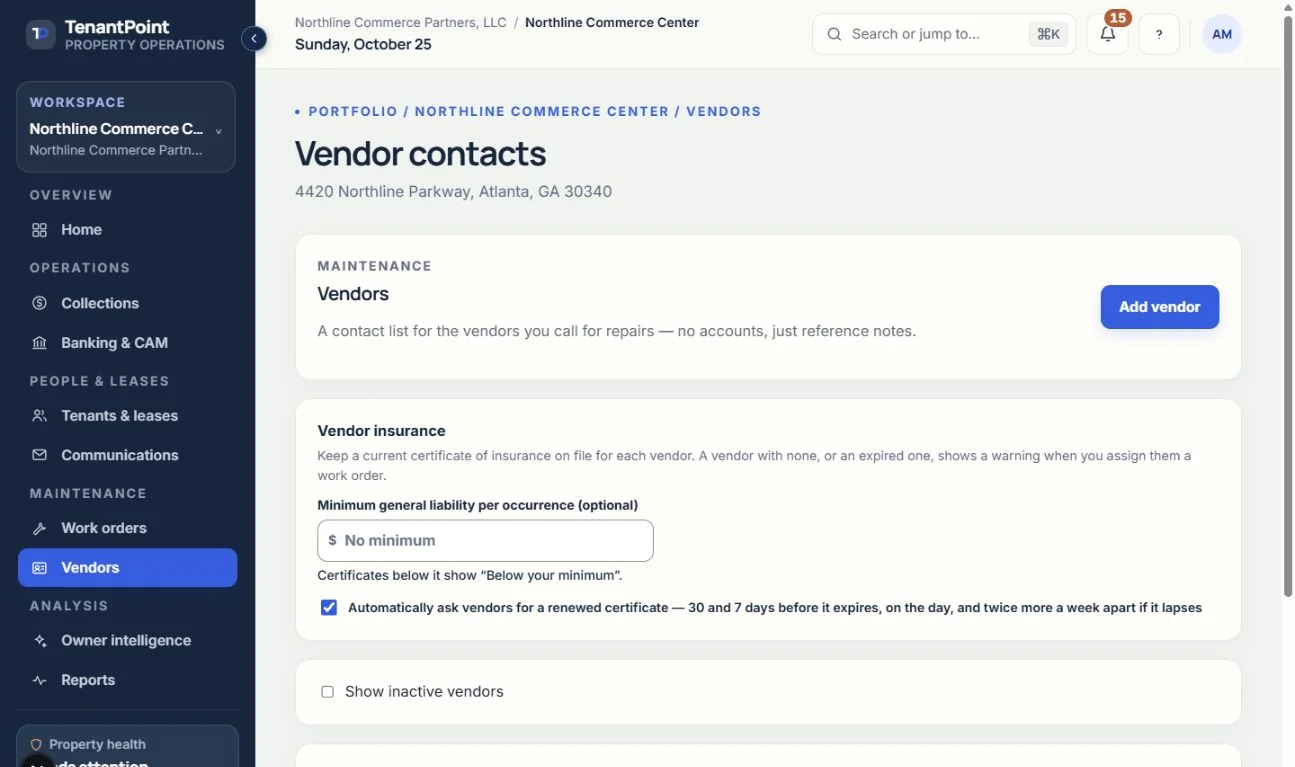
Maintain vendor contact and service details in a shared property-operations workspace.
Keep commercial property vendor contacts, work-order assignments, invoice records, and insurance information together so maintenance context does not disappear into an inbox.

Owner briefing · Northline Commerce Center
Your property needs 3 decisions
AI prepares the work · You approve the action
Illustrative product view · fictional demo property
How TenantPoint handles it
Maintain vendor contact and service details in a shared property-operations workspace.
See the vendor beside the job, priority, status, communications, and supporting files.
Record the invoice and supporting documents so the expense can be reviewed against the work.
Keep vendor insurance certificates and review relevant expiry or coverage information where provided.
A phone number in a spreadsheet does not explain why a vendor was called, which suite reported the issue, or what the completed job cost. TenantPoint connects vendor records to commercial work orders and property context.
The owner or manager still reviews the scope, assignment, work, and cost. Software does not replace vendor supervision, emergency response, or an assessment of whether coverage is sufficient.
Keep invoices and expense context with the work order. Review the related bank activity before connecting an expense to the job. An eligible QuickBooks connection can send approved work-order expenses after the required mappings and sync settings are in place.
This workflow is recordkeeping and expense coordination—not a vendor-payment service or an accounts-payable authorization.
Good to know
No vendor-payment capability is promised here. TenantPoint organizes contacts, jobs, invoices, and expense context; the owner remains responsible for authorizing and making vendor payments.
Yes. Use the work order’s note visibility controls and verify which updates are tenant-visible before sharing information.
Start with your first property