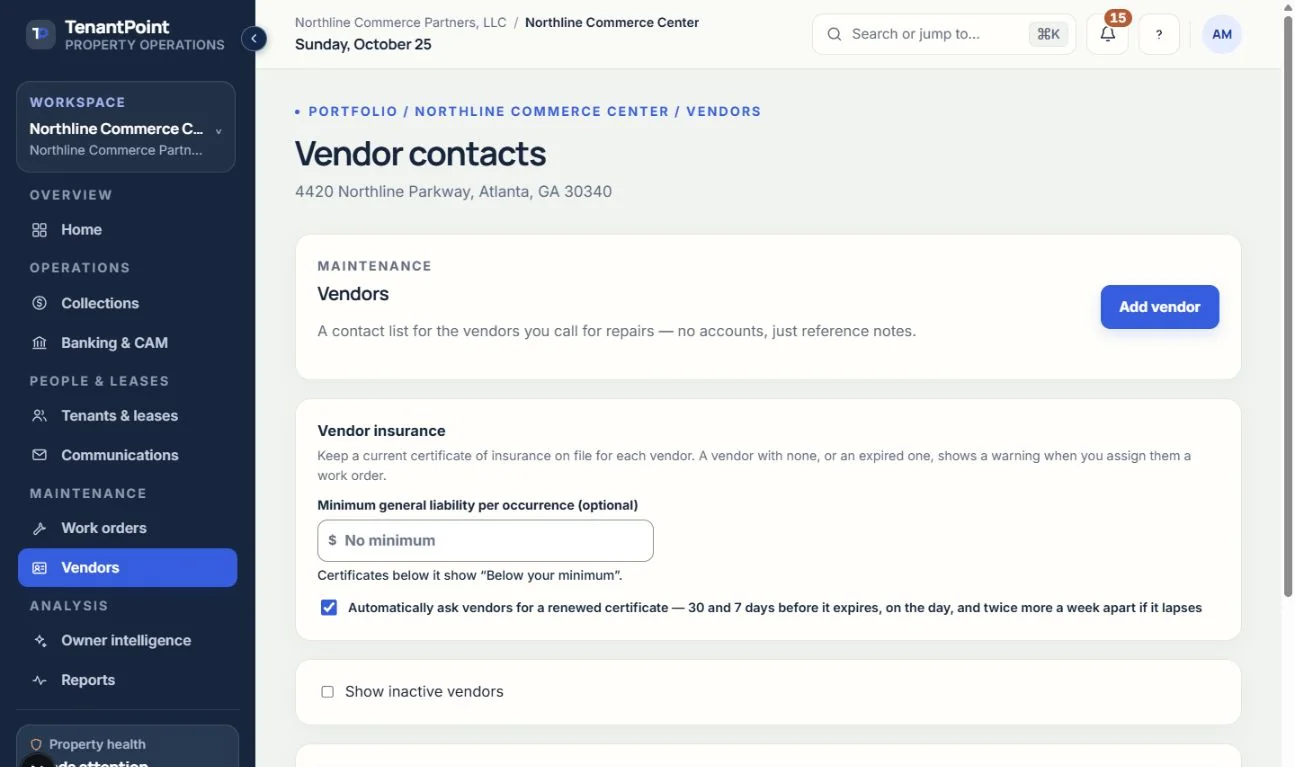
Vendors
Your contact list of contractors, used when assigning work orders.
#What a vendor record holds
Each vendor has a name, category, phone, email, notes, and an active switch. It's a reference list for your team. Vendors don't get a login.
#Retiring a vendor
Vendors are deactivated, not deleted, so past work orders keep their history. “Show inactive vendors” brings them back into view.
#Vendor insurance certificates
The Insurance column on Vendors shows each vendor's certificate of insurance: Current, Expiring in N days (from 30 days out), Expired, or None on file — plus “Certificate to review” when one is waiting for you. Open a vendor and choose Request certificate to send a secure upload link to the vendor's email, and optionally their insurance agent's email and a text when messaging is configured. Like a tenant's link, it needs no account, works for that one request, and expires after 30 days. You always get the link to copy.
When the certificate arrives, Home and the bell say so. Open the vendor and choose Review certificate: if automatic reading is set up, the insurer, policy dates and general liability limits are filled in from the certificate; check them against the document, then Accept, or Reject with note to send the vendor a new link carrying your note. A vendor's certificate isn't filed in Documents — open it from the vendor.
Optionally set a minimum general liability per occurrence on the Vendors screen. A certificate below it is flagged in review and shows “Below your minimum”; without one, only the dates are checked.
#Vendor certificate reminders
Once a vendor's certificate is accepted, TenantPoint asks the vendor for the renewal on the same schedule as tenants: 30 and 7 days before it expires, on the day, and twice more a week apart if it lapses. Each reminder goes out once, and they stop when a new certificate arrives. Home shows “Vendor's insurance expires in N days” or “expired” from 30 days out. Turn the vendor reminders off on the Vendors screen or under Settings → Communications → Insurance certificate reminders; the tenant reminders have their own switch.
When you assign a work order to a vendor with no certificate on file, or only an expired one, the assignment dialog says “No current insurance certificate on file”. It's a heads-up only — you can still assign.
#What isn't tracked
W-9s and license expiry aren't tracked yet. Keep those in your own records or in a vendor's notes.
See the current workflow
These captures use controlled sample or internal demo records, not customer records. Available controls depend on your role, plan and account readiness.