The tenant record
Overview, rent schedule, communication, maintenance, clauses, and documents in one record.
#Finding a tenant
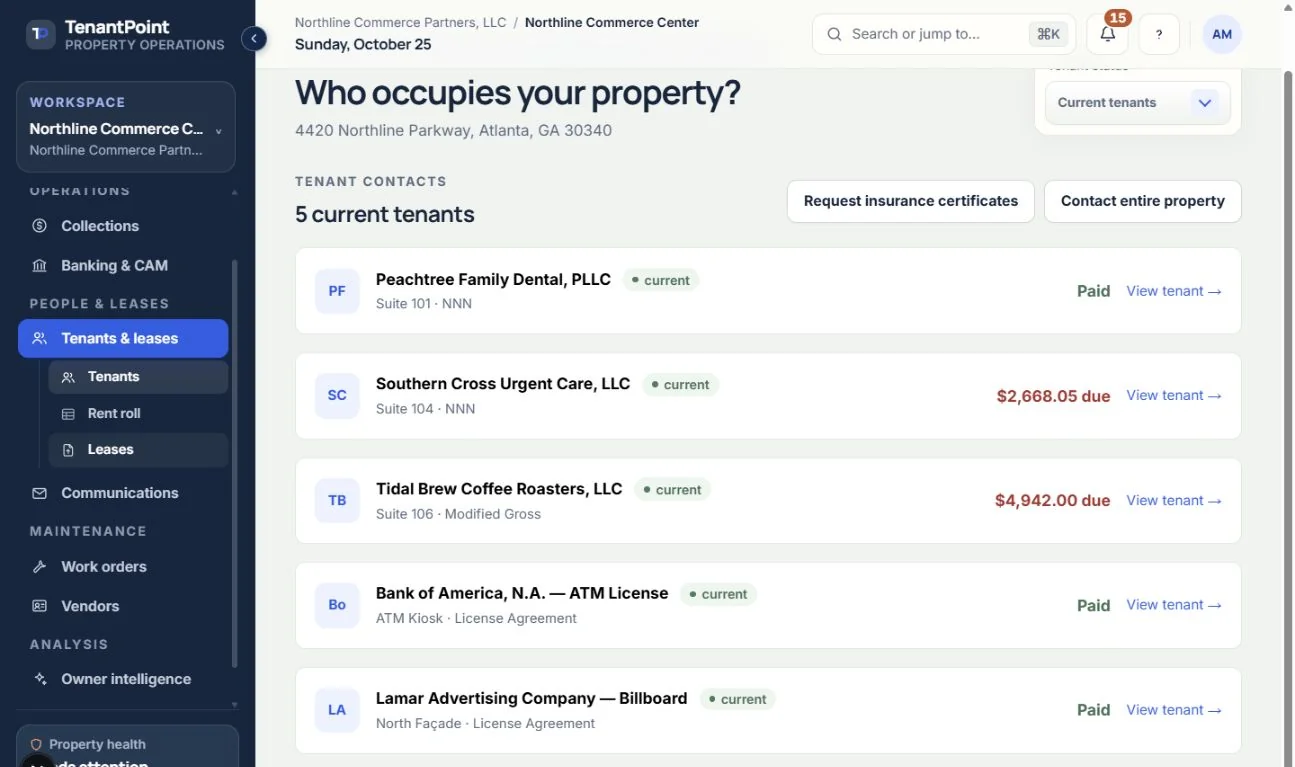
Tenants & leases lists tenants filtered by Current, Upcoming, Expired, or All. “Contact entire property” starts a message to every current tenant.
#The tabs
Opening a tenant shows one connected record:
- Overview — the balance due, contacts and key dates, plus the lease-end card: End lease early during the term, and what happens next once the lease has expired. Current rent and Current CAM show the monthly rates in force today, following confirmed rent steps, renewal terms and approved CAM estimates from their effective dates. They are not the prorated or blended bill for the whole month; use Collections or the rent roll for that. Before commencement they show Not started, and after billing ends they show Term ended. Month-to-month and holdover rent are labelled; CAM included in rent or waived for a rent period is shown without charging it twice.
- Rent schedule — the owner-confirmed rent steps.
- Communication — every message sent to or received from the tenant.
- Maintenance & costs — the tenant's work orders (“Maintenance history”) and the portal invite.
- Important clauses — late-fee terms, renewal options, and other clauses (“Review / edit terms”).
- Documents — download or attach files, and re-analyze the lease.
#Contact details drive every send
The email and phone on the tenant record are what every manual and automated message uses. There's no separate mailing list to keep in sync.
See the current workflow
These captures use controlled sample or internal demo records, not customer records. Available controls depend on your role, plan and account readiness.