Online rent payments
Pay an outstanding rent balance by bank through Stripe when your landlord has enabled tenant ACH payments.
#Before you start
Your landlord must use an eligible Portfolio or Professional plan, or a configured Custom plan, finish Stripe setup and allow your portal Payments section. You need a portal invitation and an outstanding positive balance. Owner and trial plans do not include tenant ACH collection. Your landlord can still record a payment made outside the portal in Collections.
This is a bank / ACH payment, not a card payment, instant transfer or automatic recurring rent instruction. Only authorize a payment for a balance you recognize and a bank account you are entitled to use.
#1. Open your portal and check the balance
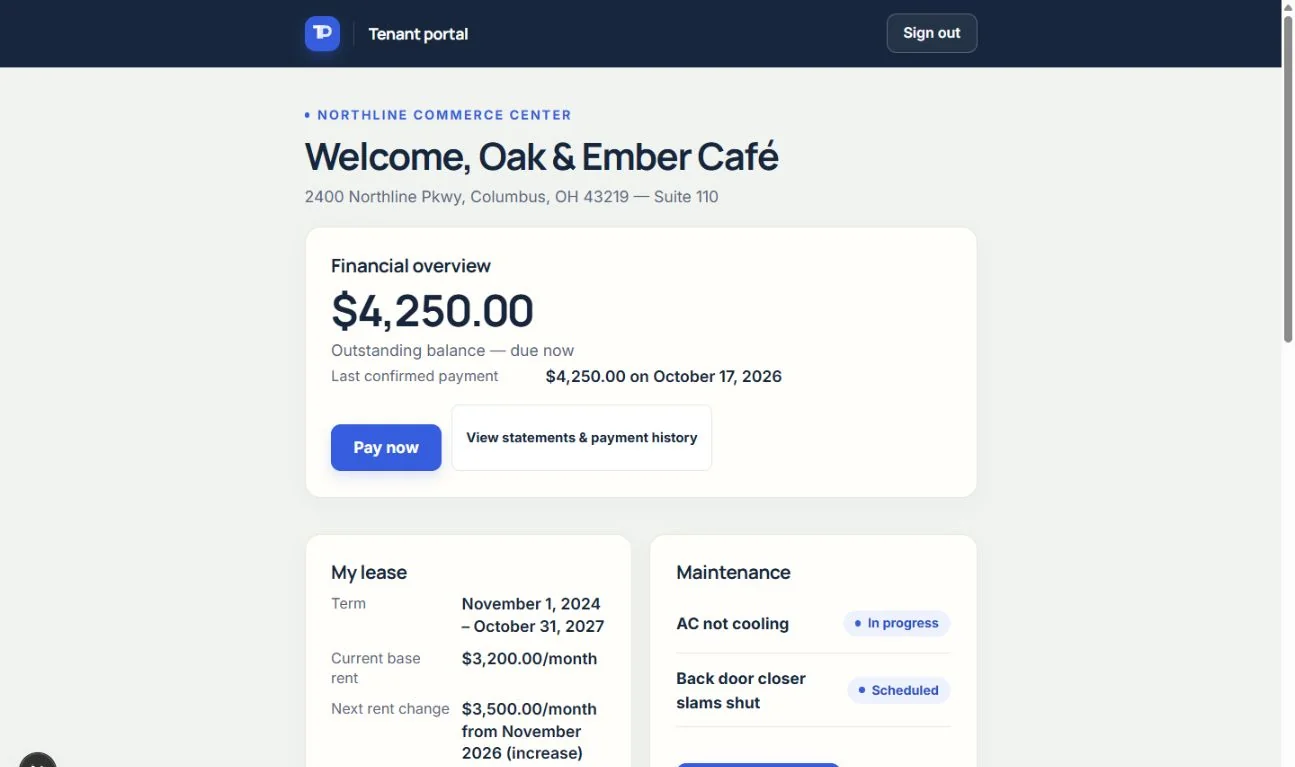
Use the secure sign-in link sent to your contact email. On the portal dashboard choose Pay now to open the Pay rent page and review the balance. If the amount is wrong, ask the landlord to correct the underlying rent or charge before you pay. The current bank-payment flow pays the outstanding balance shown; it is not an arbitrary-amount transfer.
#2. Authorize the bank payment with Stripe
Choose Pay by bank to open Stripe's secure payment page. Follow the bank selection or verification steps Stripe offers, review the amount and authorization, and confirm only when you intend to pay. Bank details and authorization are handled by Stripe, not by sending an account number to your landlord or TenantPoint support.
Return to the portal to see the payment status. Leaving Stripe without confirming does not prove a payment was made. Do not start a second payment just because the first one is still processing.
#Expected result: processing is not confirmed
ACH is asynchronous. A submitted payment can remain Processing before it is confirmed or failed, and a payment can later be returned by the bank. TenantPoint tracks the status rather than treating a successful return-page visit as settled rent. No fixed settlement time is promised.
TenantPoint's platform fee is $1 per successful ACH payment, charged to the landlord. Stripe processing fees are separate. This fee is separate from the landlord's TenantPoint subscription. Your landlord can review recorded fee and net amounts in payment history when available. See the Terms of Service for payment conditions.
#If Pay now is missing or a payment needs help
Ask your landlord to check your portal access, eligible plan, outstanding balance and Stripe payment readiness. A Bank payments unavailable message means the landlord's payment setup is not ready; it is not a request to connect the landlord's Plaid bank feed.
If a payment fails, follow the status message and contact the landlord before trying again. If it is returned after confirmation or refunded, the history changes accordingly and the amount owed may change. Refund requests go to the landlord; tenants cannot issue their own refunds from the portal.
See the current workflow
These captures use controlled sample or internal demo records, not customer records. Available controls depend on your role, plan and account readiness.