CAM setup: recovery and allocation methods
Choose billing terms, then deliberately confirm each pool's participants and sharing basis for the effective year.
How this works today. For unconverted legacy years, square-footage sharing still spreads cost over enrolled tenants. Explicit pool years can instead include confirmed landlord RSF or fixed percentages. No existing year is converted automatically; check the lease before confirming a change.
#Explicit pool participation: deliberate conversion
An owner or admin can choose Change sharing method for {year} onward in CAM. Nothing converts automatically. Until confirmed, existing CAM uses its legacy calculation. A lease's default pool, occupied spaces and monthly estimates do not prove participation in another pool.
For every pool, select the participating leases explicitly, choose participating RSF or confirmed fixed percentages, and enter each selected lease's basis. A lease can join more than one pool, or just one. An empty pool is paid by the landlord. Match each recoverable expense to its intended pool in Banking, or enter a unique category default; explicit allocation never silently chooses the first pool.
Preview the effect from saved, reconciled expenses, check exclusions, caps and the landlord remainder, then deliberately confirm. A preview for a year with no expenses is not a forecast. Save Banking and lease changes before previewing. A changed input or stale plan requires a fresh preview.
#Year-effective RSF, percentages and landlord share
Current rentable square feet can be recorded under Settings → Properties → Space setup. This is reference information only: editing a space does not silently change a CAM share. Confirm the lease's numerator and optional space context in the effective-year pool plan instead.
RSF allocation divides by only the selected participants' confirmed RSF plus any explicitly entered landlord RSF. Vacancy or occupancy never adds or removes a member automatically. Fixed percentages are the lease percentages, not normalized: 20% remains 20% when tenants total 80%, and the remaining 20% stays with the landlord. More than 100% is refused.
Category participation may be all assigned categories, selected categories, or NONE. Lease exclusions still apply. Unused shares, excluded categories, prorated portions, cap reductions and fractional cents remain with the landlord rather than increasing other tenants' bills. Pool and property totals reconcile explicitly.
Changing sharing method for a later year appends a new confirmed plan. It does not edit earlier membership or approved historical evidence. A change that would affect an already-approved year is refused; no automatic bulk conversion or historical correction is performed.
#What is not included
Explicit pool allocation does not include gross-up, admin fees, direct expense bill-backs, historical correction lines, an expanded statement format, or a new tenant-end-date model. Do not assume those additional workflows are available. New per-pool statement PDFs are not included. Keep approved historical evidence intact and contact support rather than attempting to reopen it through legacy controls.
#Recovery method: how you bill
“I bill a monthly estimate” uses each lease's own CAM estimate every month and compares it against actual spending later. “I use last year's CAM” starts from a known prior-year total and divides it into a monthly estimate. Either way, CAM decisions rest on actual reconciled bank spending. The method only sets where the starting estimate comes from.
#Legacy allocation method: how it's split
For years not explicitly converted to pool allocation, the Default sharing method decides each tenant's share of recoverable CAM. These legacy choices do not describe the confirmed per-pool model:
- By square footage of enrolled tenants — each tenant's square feet, from their lease, divided by the total square feet of the tenants enrolled in CAM in that pool. Vacant or unenrolled space isn't in that total, so the enrolled tenants share the whole recoverable cost between them.
- Fixed percentages from leases — each tenant pays exactly the percentage set for them, usually from the lease. If the percentages add up to less than 100% (a vacant suite, say), the rest isn't billed to anyone and stays with you.
- Split by each tenant’s current CAM estimate — costs are split in proportion to the monthly CAM amount set for each tenant, so the shares always add up to 100%.
#Vacant space in legacy sharing
In legacy sharing, square footage and current-estimate weights spread the recoverable cost over enrolled tenants. Fixed percentages retain the unallocated percentage with you. In explicit pool allocation, confirmed landlord RSF can also retain an owner share; vacant space is never inferred as a participant. Choose the method your leases actually authorize.
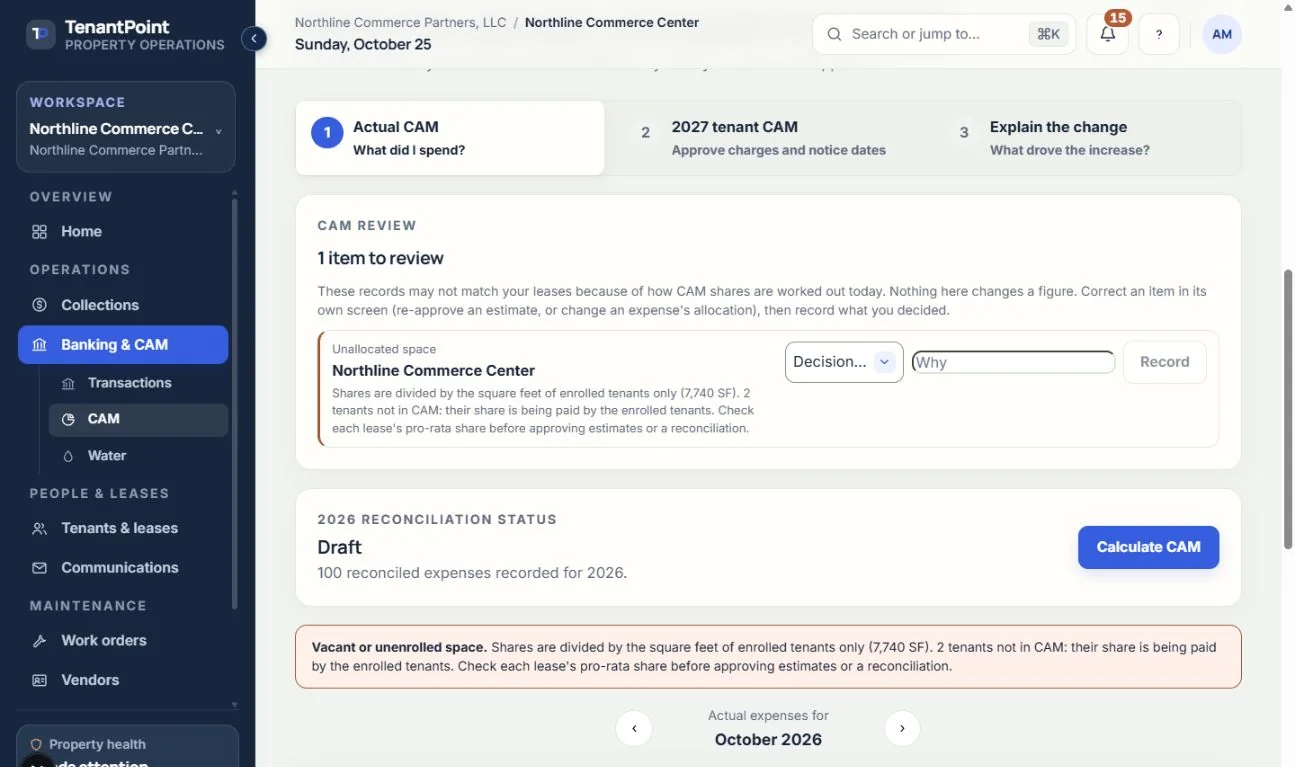
When a space is vacant, a tenant isn't in CAM, or a lease states a larger building size than the enrolled tenants add up to, the CAM screen says so above the estimates and the actual CAM, with the square feet and the share of CAM involved.
See the current workflow
These captures use controlled sample or internal demo records, not customer records. Available controls depend on your role, plan and account readiness.